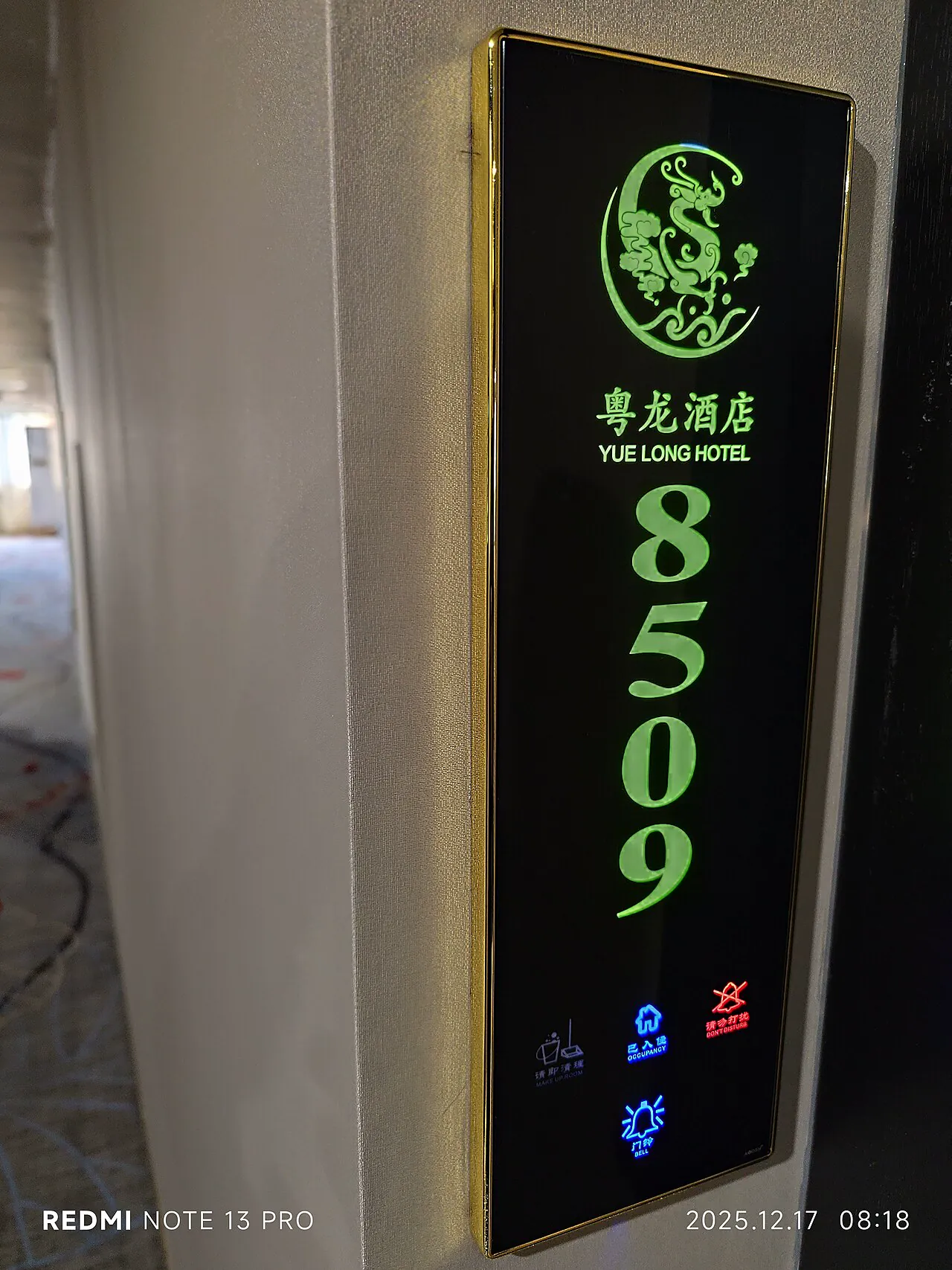
- 1. What Is an Electronic Door Number: Digitizing the Room Number
- 2. Display Options: Segment vs Dot-Matrix/LCD
- 3. Networking: RS485 Bus vs Wireless Deployment
- 4. Guest-Control Linkage: Card Power, DND Sync, and Scene Automation
- 5. Materials, Power & Installation: Zinc Frame + Tempered Glass as Mainstream
- 6. Procurement Tips: Bundle Inquiries, Request Cases and Test Reports
Electronic door numbers are the digital business card of hotel rooms. From segment displays to dot-matrix, from RS485 to wireless, this article explains display, networking, and guest-control integration.
1. What Is an Electronic Door Number: Digitizing the Room Number
An electronic door number is a digital display installed outside guest rooms, replacing the static room number plate. It does more than display the number: it carries three real-time signals — the room number (wayfinding), occupancy status (occupied/cleaning/vacant), and service requests (Do Not Disturb, Make Up Room).
Its value to hotels has three levels. Level one: image upgrade — dynamic displays and changeable text modernize corridors, and international brands especially value multi-language support. Level two: operational efficiency — room status syncs in real time, eliminating manual flip signs and keeping front desk and floor information consistent. Level three: the smart-room foundation — the door number is the natural entry point of guest control, becoming an interactive terminal when linked with locks, card-insert power, and lighting.
In procurement, electronic door numbers are usually quoted together with electronic locks (the "lock + sign" bundle), sharing low-voltage wiring and one management backend. Evaluate both in a single solution to avoid split systems, protocols, and contractors.
2. Display Options: Segment vs Dot-Matrix/LCD
The display option determines cost, power, and information richness — the first decision in door-number selection. Segment LCDs are cheap, ultra-low-power, and readable in sunlight, ideal for the standardized "room number + status icon" requirement; the first choice for economy and mid-range hotels.
Dot-matrix and LCD panels support arbitrary characters, multiple languages, graphics, and animation — welcome messages, wake-up reminders, festive motifs — favored by international and premium brands. The trade-offs are higher cost and power, plus dependence on stable protocol and firmware.
E-ink is worth watching: static display consumes power only when refreshing, looks like paper, and suits long-term room-number display; but refresh is slow and animation is impossible — better for a minimal "digital number + static status" style.
Whatever the option, verify three details: adjustable brightness (corridors must not glare at night), default display on power loss (room numbers must remain visible in emergencies), and font support for target-market languages (Arabic, Thai, etc.).
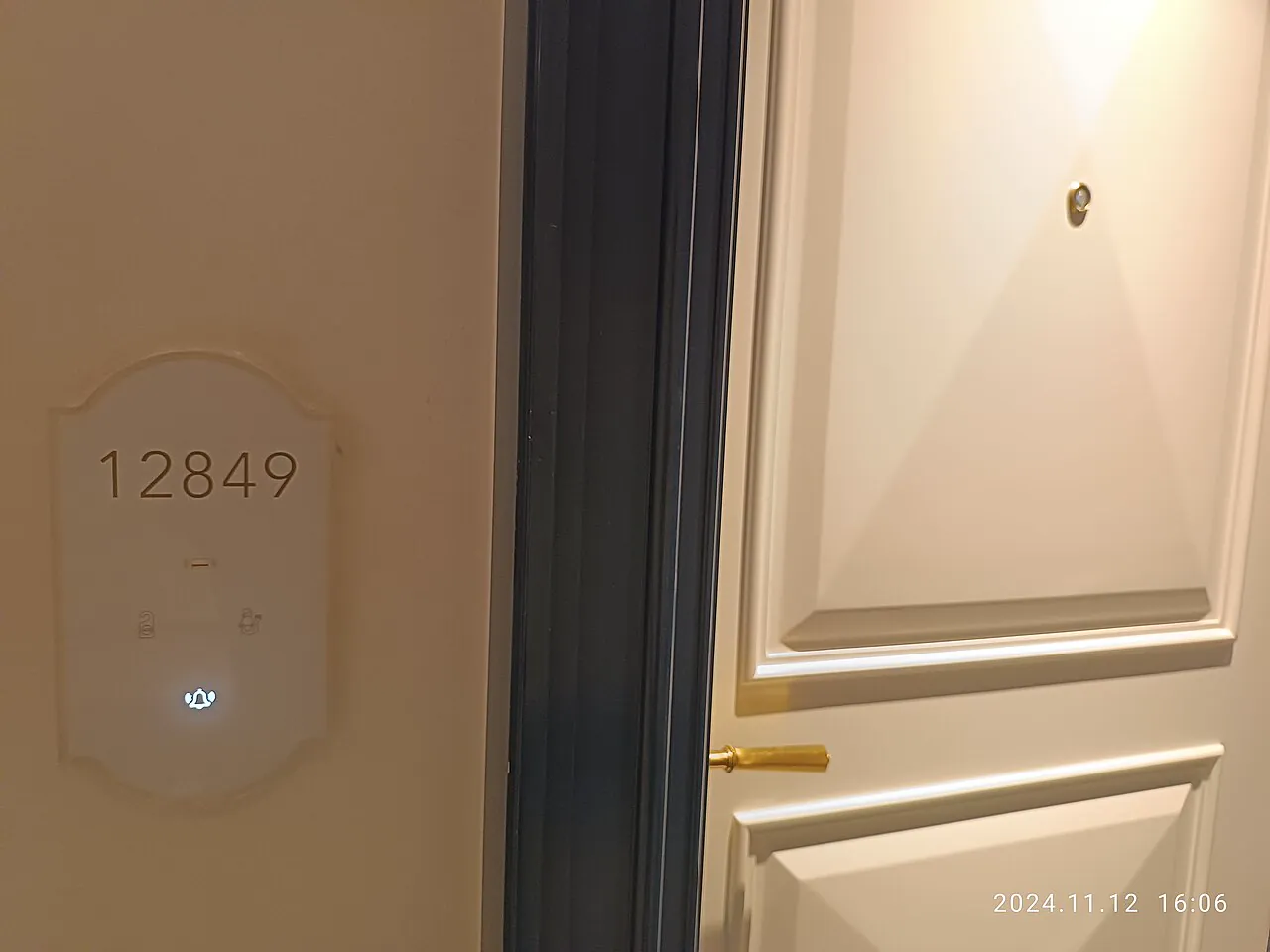
3. Networking: RS485 Bus vs Wireless Deployment
Networking determines construction cost and maintenance. RS485 bus is stable, interference-resistant, and centrally powered — ideal for new builds: lay the bus during construction, share one link for door numbers and locks, stay online in real time, and localize faults easily. The catch: wiring must happen during construction; renovations cannot use it.
Wireless options (Zigbee/WiFi/BLE Mesh) are flexible and need no conduit work, perfect for upgrading operating hotels, with schedules measured in weeks rather than months. The costs: signal coverage must be evaluated (metal door frames and corridor corners attenuate), and wireless signs still need local power — usually pulled from inside the room, which means drilling through the door anyway.
Hybrid architecture is mainstream for large projects: wireless within floors, gateways per floor to the low-voltage room, wired backbone to the server — flexible construction with centralized management. Ask suppliers for same-scale case studies (renovations especially) rather than listening to spec sheets.
Whichever you choose, confirm two things: the degradation strategy when the network/bus fails (the sign should at least keep room number and DND locally), and remote firmware upgrade capability (OTA matters for future feature iteration cost).
4. Guest-Control Linkage: Card Power, DND Sync, and Scene Automation
The real value of electronic door numbers lies in linkage. The most basic link is card-insert power: the guest inserts the room card, the sign switches to "occupied", and the room's power box energizes; on exit, the sign shows "Make Up Room" and the room powers down to save energy.
The second layer is the DND/MUR loop: the guest presses "Do Not Disturb" inside, the sign displays DND immediately, and the signal syncs to the service desk and housekeeping PADs; after cleaning, housekeeping confirms in the system and the sign returns to "vacant-clean". This loop eliminates manual flip signs and phone calls — the most visible efficiency gain.
The third layer is scene automation: once integrated with the RCU host, occupancy status can trigger lighting scenes (welcome mode on check-in, all-off on departure), curtain motors, and AC levels. After check-in, the room lights enter welcome mode and the AC adjusts to the default temperature — details guests experience as the hotel's "tech sense".
Confirm the protocol early: door numbers and locks usually talk to the guest-control host via RS485 or wireless gateways (Modbus, proprietary, TCP/UDP). Align with the guest-control vendor and require a joint commissioning plan from both suppliers at tender stage.
5. Materials, Power & Installation: Zinc Frame + Tempered Glass as Mainstream
Door numbers live in corridors year-round, so materials must resist scratching, soiling, and humidity. The mainstream is a zinc alloy frame with tempered glass panel: die-cast zinc gives structural strength; tempered glass is wear-resistant and easy to clean with a damp cloth. Budget projects use acrylic panels, but they scratch and yellow over time — not recommended for premium hotels.
Plan power with the lock system: door numbers are low-voltage devices; centralized DC 12/24V supply from the floor electrical room is easiest to maintain and manage. Wireless signs need local power, so keep wiring separate from lock cables to avoid interference.
Installation position and size matter: the sign centerline usually aligns with the lock handle (about 1.4m) so guests see both at once; screen size follows corridor width and door distance — 4.3"-7" screens are readable within 3m. Suppliers provide standard mounting templates; confirm the recessed box hole positions early.
6. Procurement Tips: Bundle Inquiries, Request Cases and Test Reports
The door-number market is competitive with wide price variance. Screen suppliers on three principles: first, bundle inquiries — quote signs, locks, card-insert power, and guest control together; integrated quotes are usually lower and commissioning responsibility is clear. Second, request same-scale case studies — renovation photos and operational feedback especially; ask how signal coverage was solved and what happens on network loss. Third, request test reports — display life, keypad life, salt spray, and EMC, none optional.
For overseas projects, confirm voltage (110V/230V power adapters), language fonts, certifications (CE/FCC/RoHS), and whether sign text supports brand customization (logo position, font, color). Customization looks trivial but directly affects brand consistency — write it into the contract.
Finally, put joint commissioning acceptance in the contract: acceptance criteria for the four-device integration (e.g. DND sync latency under 2 seconds, offline degradation working, OTA upgrade succeeding), so delivery disputes are avoided.
←
Apartment & Home Smart Lock Selection Guide for Operators and Project Buyers
→
Types of Hotel Door Locks: Magnetic, RFID, PIN, Bluetooth and Biometric
Related Products
Related products: Hotel Room Number Signs · LED Door Sign: From Illuminated Numbers to Sm